Studio Singu
Tax Lane Academy
- Design engineering
- Development
- UI
- UX
- Application
Tax Lane Academy runs seminars on tax for professionals. I designed and built taxlane.nl so the team can publish a seminar, sell it online and run everything around it from one admin. It went live on 13 October 2026, three days after my first commit, and I've looked after it since.
taxlane.nl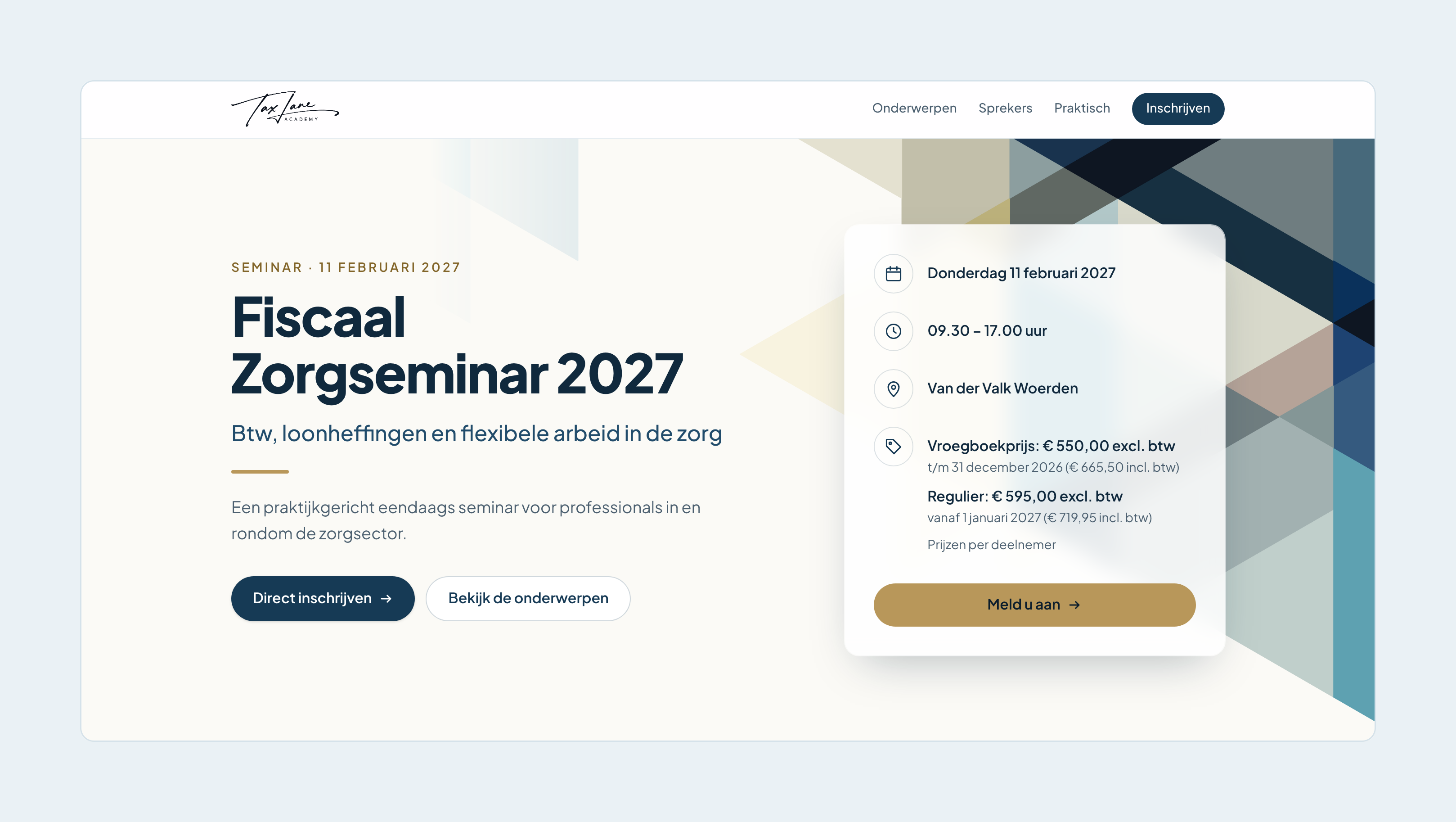

What's in it
For visitors
A page per seminar
Topics, speakers, prices and where to be, all edited in the admin.
Sign up as a team
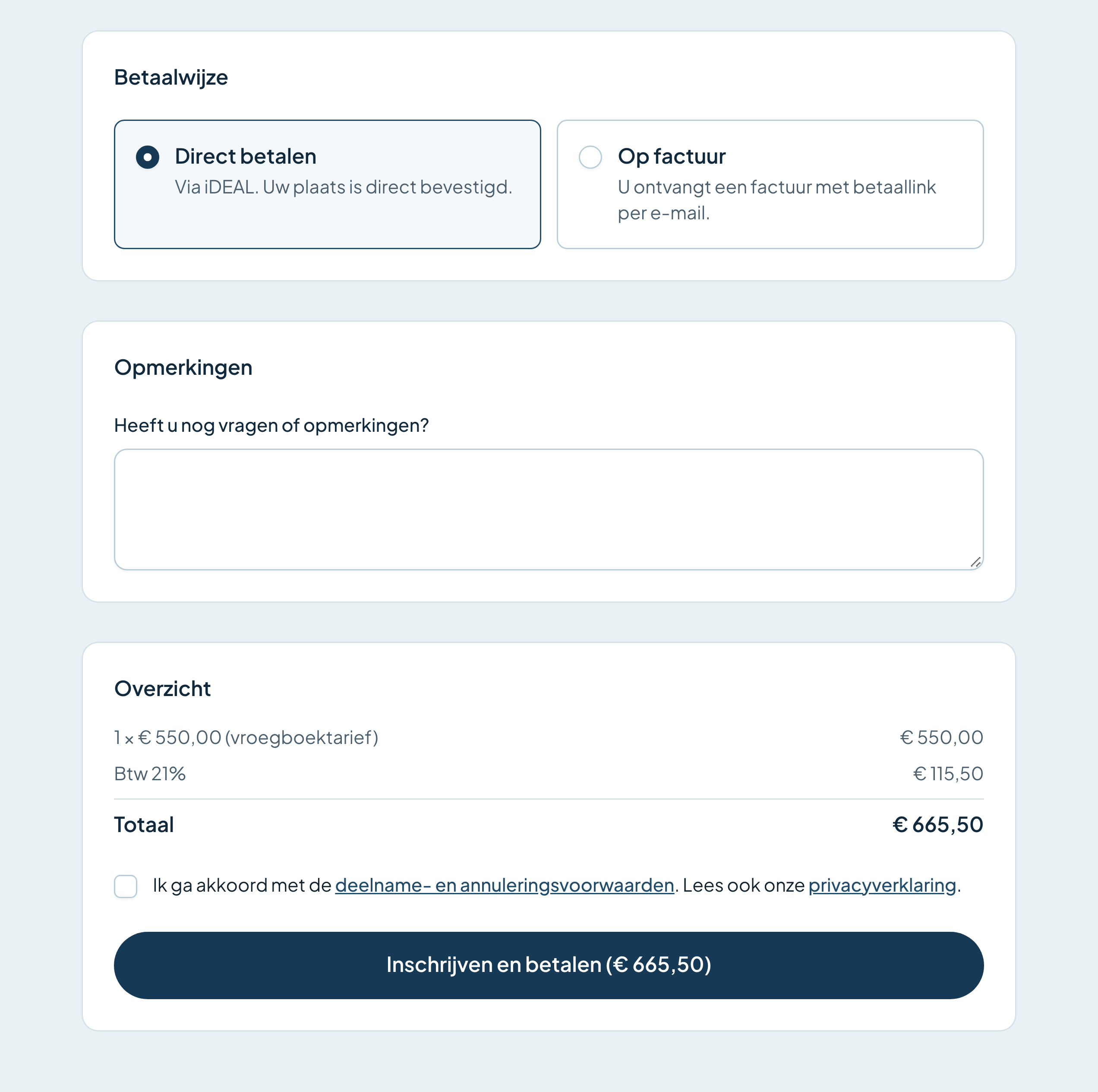
Several colleagues in one go, with the total counting along.
Early-bird pricing
Switches to the regular price by itself on the right date.
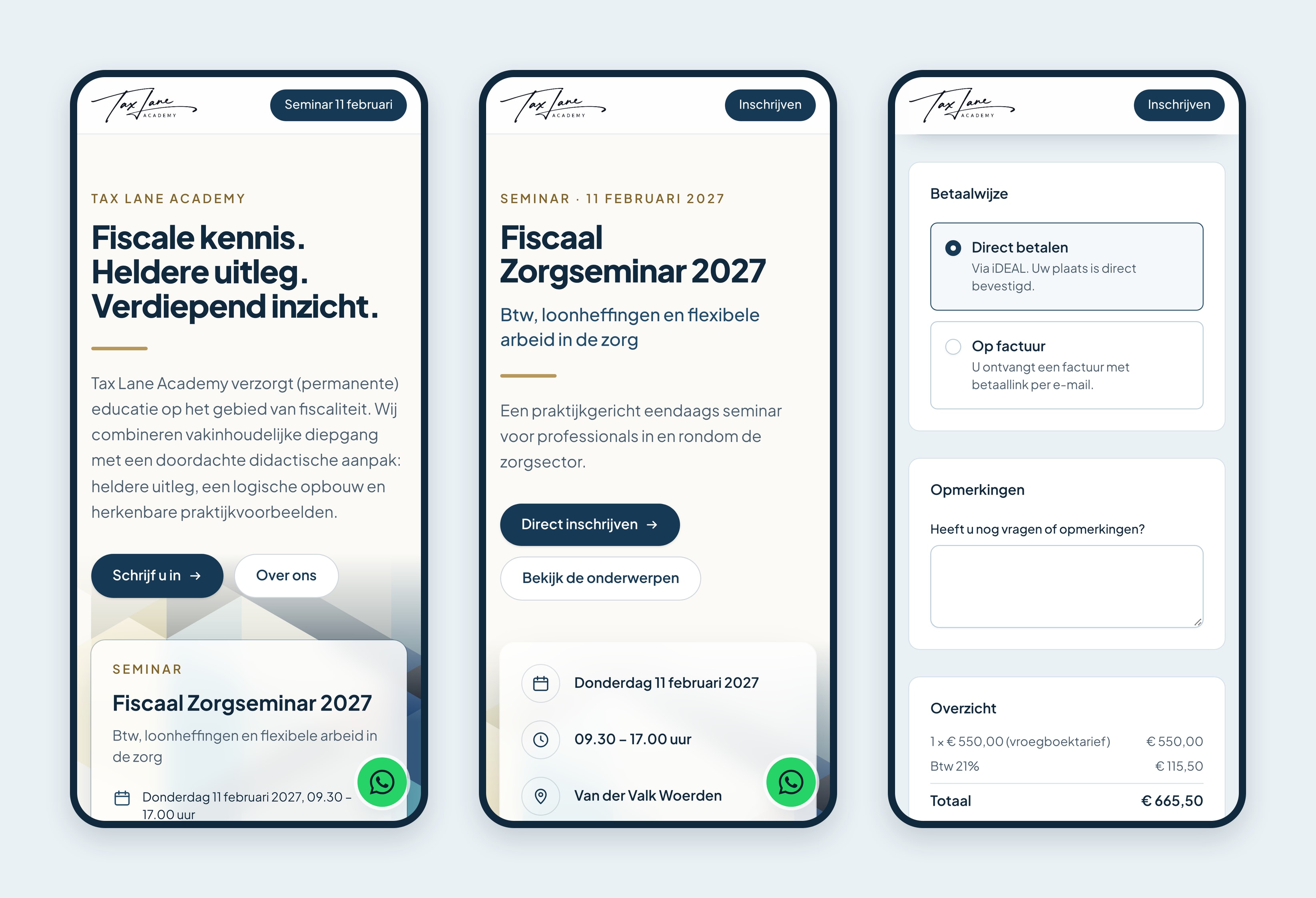
iDEAL or invoice
Paid through Mollie, with a numbered invoice for every sign-up.
Waiting list
Opens when a seminar is full; inviting the next person is one click.
Confirmations
For the contact and each attendee, with a calendar invitation.
Found in search
Date, place and price can show right in Google and Bing results.
Link previews
A shared link shows the seminar's title, date and place.
Newsletter
Sign up with consent, leave with one click.
Consent before tracking
Statistics without cookies; Google Analytics only after a yes.
For everyone
Works on a phone and meets WCAG 2.2 AA.
For organisers
Seminar editor
Create, edit and publish a seminar without a developer.
Sign-ups in one place
Search, swap an attendee for a colleague, export to Excel.
Attendance list
Ready to print, with dietary needs and who has paid.
Messages to attendees
Write one, send yourself a test, schedule it.
Payment reminders
Late invoices get a reminder without anyone writing it.
Roles
Owners, admins, staff and speakers each see their own part.
No passwords
An email link or Google, then a passkey or an authenticator app.
Logbook
Every sign-in and change, kept where nobody can edit it.
Run sheet
Every step to the seminar, with owners, dates and a mail with your own steps.
Day plan
The seminar day hour by hour, replanned from one sentence.
Speaker profiles
Speakers fill in their own photo, bio and talk.
Push notifications
A note on your phone for every new sign-up.
An app on your phone
The admin installs on the home screen, in light or dark.
Alerts
A mail when a payment or a confirmation goes wrong.
For marketing
Flyer and brochure
Print-ready, and always up to date with the seminar.
QR code and social images
A post and a story for each seminar, in the house style.
Business cards
Double-sided and print-ready, straight from the admin.
LinkedIn writer
Claude drafts two versions of a post toward a goal you pick.
Short links
Clicks, sign-ups and revenue for every post, without cookies.
Brand guide
Colours, type and the logo as SVG and PNG, to download.
Seminars that sell online
A seminar page shows the topics, the speakers, the price and where to be, with the sign-up form right below. A whole team signs up and pays in one go, by iDEAL or invoice, and the early-bird price ends on its own date. Late invoices get a reminder from the site, and a full seminar opens a waiting list, so selling a seat takes no phone calls and no spreadsheets.

One admin for everything
The team publishes seminars, follows sign-ups and payments, and mails attendees from one admin, on a laptop or a phone. Nobody needs a password, and each role sees only its part: a colleague can work the attendance list without seeing any amounts. A logbook records who changed what.
Planning in one place
Every seminar has a run sheet from the first meeting to the follow-up, with an owner for each step. Adding a step is one typed line, and Claude suggests when it happens and who takes it. On the day itself, the hour-by-hour plan replans from a sentence like “catering can only start at 10.20”, and nothing moves until someone applies it.
Promotion you can measure
The flyer, a brochure, the QR code and the social images are made from the seminar's own details, so a changed time is right everywhere at once, with no designer needed. For LinkedIn, Claude drafts two versions of a post toward a goal, such as the early-bird deadline. Every post gets its own short link, so the team sees which posts brought in clicks, sign-ups and revenue, and the best ones become examples for the next.

One brand everywhere
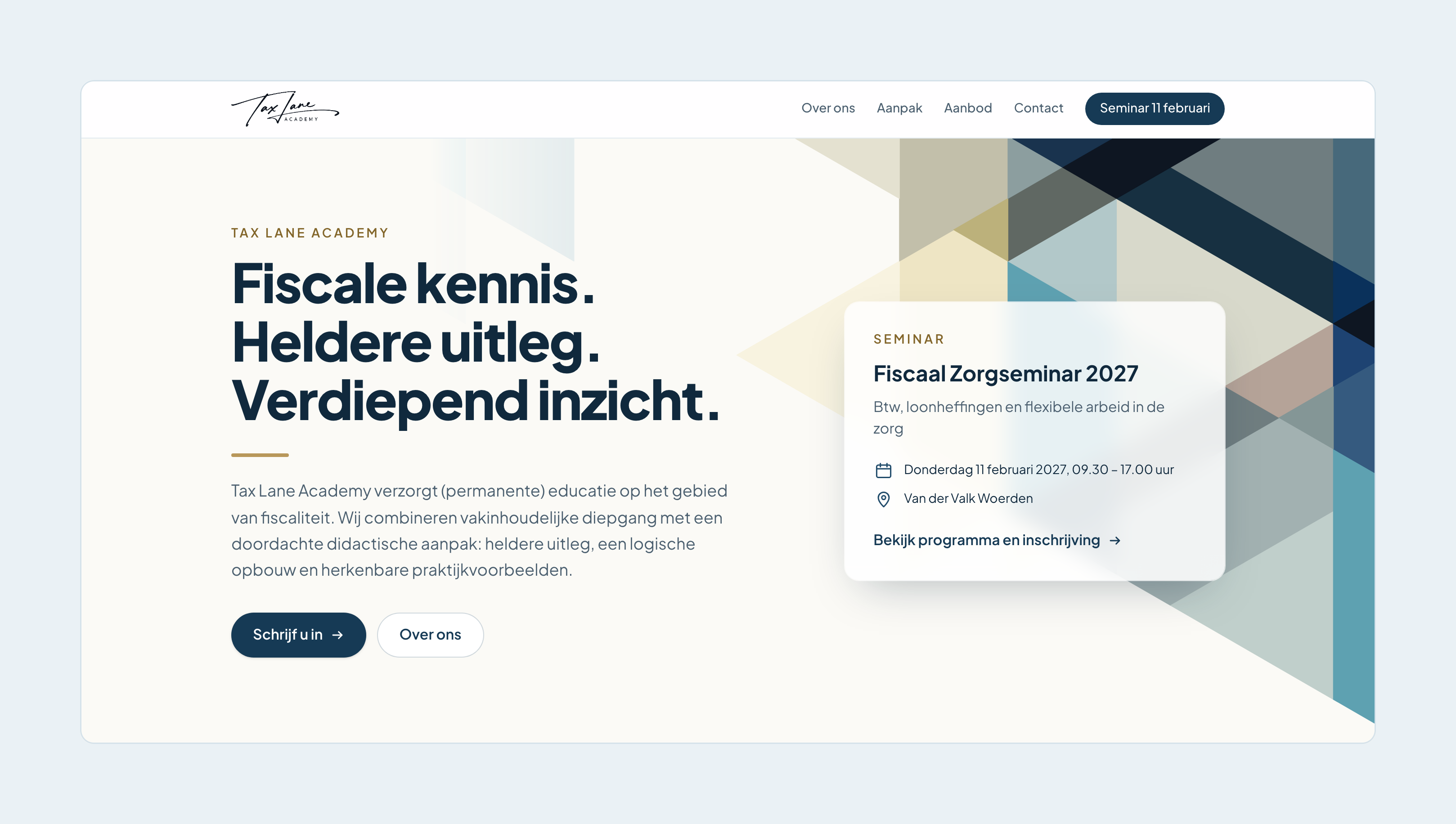
The look started from Tax Lane's flyer. I carried its colours and slanted planes onto the web and into the admin, so a seminar page, the flyer and a LinkedIn image all read as one brand.
Working with me
I designed taxlane.nl, built it and still look after it, so nothing got lost between a designer and a developer. If people sign up or pay for what you run, I can build you something like this, from first sketch to live.